
The pros and cons of keyless entry and digital door locks
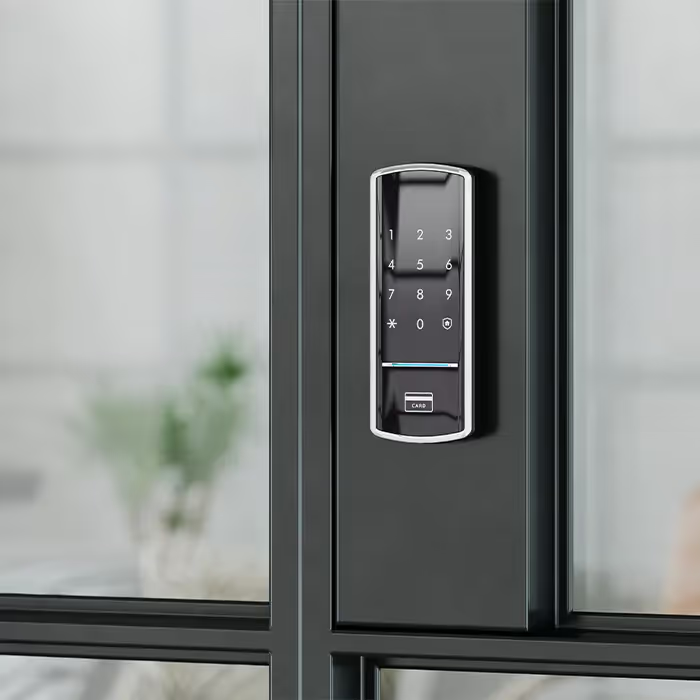
You see digital locks popping up everywhere these days, on new homes, rentals, and even café storerooms. Folks love the idea of punching in a code or tapping a phone instead of fiddling for keys in the dark. It’s slick, modern, and feels like a step up. But plenty of people still ask the same thing: are smart locks safe, and are traditional door locks safe enough anymore?
It’s a fair concern. Every new bit of tech comes with a bit of risk, and locks are no different. While smart locks are safer now than they were a few years ago, there’s still that lingering worry about what happens when the batteries die, or if someone clever decides to tinker with the system.
The truth is, like most things in life, it’s about balance. Digital and keyless door locks can be both safe and convenient if you pick the right kind, install it properly, and look after it.
In this guide, we’ll walk through the pros and cons of a digital lock, the common safety concerns, what they cost, and how to keep them working reliably for years to come.
How keyless entry door locks work (and what’s inside them)
If you’ve already looked into keyless door locks, you’ll know there’s more than one kind, and not all of them are built equally. The idea’s the same across the board: replace the old lock and key with a smarter way of unlocking the door. The difference comes down to how each model identifies you, how it’s powered, and what sort of backup plan it offers when things don’t go perfectly.
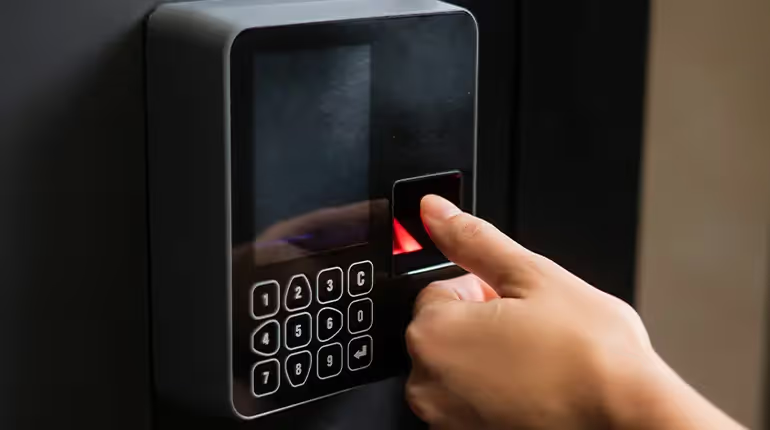
The real brains of a digital door lock sit inside the handle or latch. A small motor drives the bolt, and a circuit board handles the codes, fingerprints, or wireless signals that tell it to open. Better models have solid internal gearing, shielded wiring and weather seals that keep the electronics safe from Tassie’s damp winters. That’s worth paying for, since cheap electronic locks are more likely to seize up after a year or two of wind and rain.
Common types of digital locks
Some smart lock models now blend these features together. For example, keypad entry plus fingerprint scanning, or app control with voice assistants. It’s handy, but remember: the more features you add, the more batteries and settings you’ll be managing. Smart locks allow for great flexibility, but they also reward a bit of patience when setting them up right.
Backup and override options
Even with good gear, you want a safety net. Most digital and keypad locks include a discreet mechanical keyhole or a port for an external battery. Higher-end systems use magnetic overrides or near-field cards that power the unit just long enough to open. When you have one fitted, ask your locksmith to show you exactly how that backup works — you don’t want to discover it by torchlight in the rain.
The key benefits of keyless entry systems for homes and businesses
The real beauty of keyless entry is how it makes everyday life easier while keeping things secure. No fumbling for keys in the dark, no waiting around for a spare. Just simple, steady convenience and security that fits how people actually live and work. Here’s what makes them worth considering:
- You’re in full control: Add or remove access codes whenever you like. It’s an easy way to manage who comes and goes without paying for new keys.
- They enhance security through smart design: Digital locks are tougher to pick or bump than mechanical ones. Most also lock themselves automatically once the door closes.
- They offer advanced security features that suit real life: From access logs and tamper alerts to timed locking, the right setup keeps your place a step ahead of trouble.
- They improve home security in practical ways: You can check entries, get alerts, or see if the door is locked right from your phone, whether you are home or halfway across town.
- They bring true convenience: Punch in a code, tap your phone, or use a fingerprint, and you are in. No more dropping groceries while you dig for keys.
- Many smart locks work with other devices: They can link up with alarms, lights, or voice assistants to make things run smoother and safer day to day.
- The benefits of digital access last longer: Quality locks have fewer moving parts, which means less wear, fewer breakdowns, and more years of reliable use.
Across all models, the real advantage is flexibility, a kind of smart lock security that adapts to whatever life throws at you. Next, we will look at how that plays out differently for homeowners and for businesses that rely on tight, reliable access control.
Benefits of keyless entry systems for homeowners
For most households, keyless entry isn’t about showing off new tech. It’s about making everyday life a bit easier and a lot more secure. Here’s how the right setup can make a real difference at home:
- No more lost keys or lockouts: Forget rummaging through bags or calling a locksmith at midnight. You can access your door with a PIN, card or phone in seconds.
- Share access safely: Create temporary codes for guests, tradies or family. When the job’s done, just delete the code. No spare keys floating around, no worries about key security.
- Your home looks after itself: Many locks can automatically lock and unlock your door from anywhere using app control or scheduling. It’s a simple way to know your place is secure even when you forget to double-check.
- Peace of mind built in: Combine your lock with a home security system or link it into smart home systems for total visibility. You can check who’s come and gone from your phone while you’re at work or away for the weekend.
- Choose the right lock for your home: The best setup depends on your doors, layout and habits. A professional can help match the lock type to your needs so you’re not paying for features you’ll never use.
Benefits of keyless access control for businesses
For workplaces, schools, and shopfronts, a well-set-up keyless system can save a lot of time and headaches. It keeps things moving while tightening up overall security. Here’s how it helps day to day:
- Simpler staff access management: Instead of juggling key locks for every door, you can set clear digital permissions. Each staff member gets their own code or card, so there’s no confusion about who has access.
- Quick updates when things change: PINs and credentials can be added or removed in seconds. There’s no downtime, and you never have to chase up missing keys again.
- Better control over timing and traffic: Assign codes that only work during certain hours or for specific areas. It’s a simple way to maintain a strong level of security for shift work, deliveries, and sensitive areas.
- No more rekeying costs: When an employee leaves, you just remove their code. Digital systems mean less fuss, less admin, and far fewer callouts.
- Modern systems provide extra visibility: Detailed logs and other smart features show who accessed what and when. Even the standard locks provide no comparison to the insight and confidence you get from digital access control.
Upgrade to digital keyless entry
Ready for a smarter, safer way to secure your property? We supply and install reliable commercial digital keyless entry systems built to suit Tasmanian homes and businesses.
Keyless entry security risks and real-world drawbacks
Every tool has its weak spots, and keyless entry systems are no different. For all their smarts, they can still fail, freeze or frustrate you if they’re not cared for. The goal here isn’t to scare you off; it’s to show what can go wrong and how to stay one step ahead with the right security measures in place.
When technology lets you down
Even the best smart locks can experience the odd hiccup. A flat battery, a glitchy update or a dodgy Wi-Fi signal can leave you stuck on the wrong side of the door. Most problems come down to simple maintenance: changing batteries, checking connections and keeping software current. Do that and your setup will keep ticking along just fine.
It’s also worth remembering that, unlike traditional locks, digital ones depend on power. A cheap model with no backup port or override key can cause a bad day in a hurry. Spend the extra on quality gear and have a locksmith fit it properly; that’s the difference between an inconvenience and a real headache.
Keyless entry security concerns and hacking myths
You’ve probably heard that smart locks can be hacked. Technically, yes, anything with electronics can be. But most break-ins still happen the old-fashioned way, with a crowbar or a careless spare key. A smart lock may be vulnerable if it’s using outdated software or weak encryption, but that’s easily fixed with regular updates and sensible passwords.
Think of your lock like a small computer on your door. The better ones use bank-grade encryption and layered digital security that makes remote attacks extremely difficult. Stick with trusted brands, keep the firmware fresh, and you’ll sleep just fine.
Everyday user mistakes
The weakest link in any security solution is usually the human one. People reuse PINs, forget to update the app or hand out codes that never get deleted. Treat your digital lock the same way you treat your phone or laptop: keep it updated, use unique codes and don’t share access unless you have to.
Quick fixes for safer use:
- Choose reputable brands with good support.
- Replace batteries before they run flat.
- Change access codes every few months.
- Avoid public Wi-Fi when using lock apps.
A bit of care goes a long way. Look after the system and it will look after you.
Digital lock safety tips every homeowner should know
We’ve worked on locks for decades, and the same problems keep showing up. Most aren’t design faults; they’re small oversights that build up over time. These digital lock safety tips come straight from years of field work and the lessons that stop good locks from going bad.
- Buy from trusted brands: What matters most isn’t the logo on the front, it’s the engineering inside. Reputable brands use coated circuit boards, sealed housings and reliable motor drives that cope with Tasmanian weather. Cheaper models don’t. Moisture gets in, electronics corrode, and the latch motor starts to strain. Quality smart locks offer better parts, service and software support when you need it most.
- Use strong PINs and change them regularly: We’ve seen too many locks still running “0000” years after installation. Anyone who spots the worn buttons can guess it. Create random codes, rotate them often and avoid birthdays or repeats. Good programming habits do more to protect your home than any marketing promise ever could.
- Keep firmware up to date: A lock is no longer just metal and springs; it’s a small computer on your door. Updates fix bugs, strengthen encryption and stop false reads before they turn into lockouts. Most apps make it easy, but few people check. Regular updates keep the lock secure and save you a service call later.
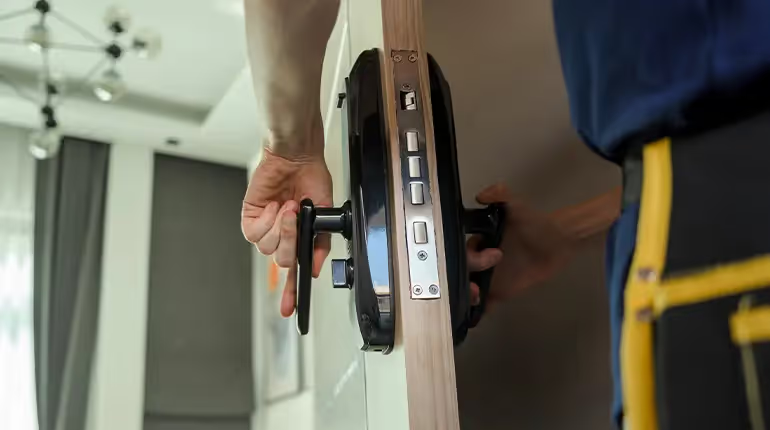
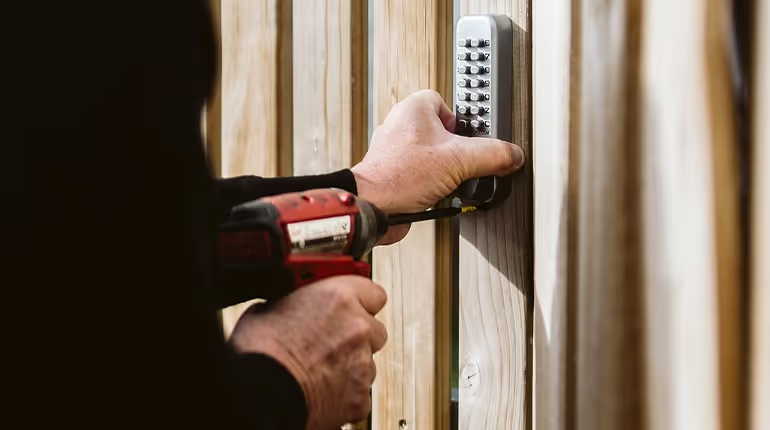
- Get professional installation: The alignment of the latch, the clearance in the jamb and the way the cables are run all matter. A qualified locksmith checks every measurement, seals out moisture and sets up safe digital lock programming that performs properly. Careful installation means smooth operation and far fewer breakdowns over time.
- Plan for power loss: Every smart system should have a fallback. Keep a spare key, an emergency battery pack or an external power terminal handy. We recommend checking it twice a year, the same way you test smoke alarms. When the batteries die, you will be grateful you did.
Digital locks are reliable pieces of kit, but they need the same attention any precision tool deserves. When we maintain them properly, they keep our homes secure and our days running smoothly for years to come.
The cost of keyless entry systems and what you get for it
When people ask about the cost of keyless entry systems, they’re often surprised by how wide the range can be. A simple keypad on a back door might only set you back a few hundred, while a commercial-grade smart system with logging, alerts, and Wi-Fi connectivity can run well over a thousand. The real difference comes down to what you expect the lock to do and how long you expect it to last.
What really drives the cost
After decades in the trade, we’ve seen exactly what makes the difference between a good lock and an expensive disappointment.
- Build quality: A quality digital lock isn’t just shinier. The internals are stronger, the bolts are thicker, and the circuit board is sealed against moisture. We’ve opened cheap imports where the motor was rusted solid after a single Tasmanian winter. The good ones might cost a bit more, but they still open smoothly years down the line.
- Technology level: A quality smart system has more to offer, but also more to power and maintain. Features like remote access and audit trails add real convenience for households and businesses, but those extra chips, sensors and Wi-Fi modules push the price up.
- The door it’s going on: We often find the door itself plays a bigger part in the final price than people expect. Old timber doors that swell, twist or sag can make a lock fight to latch. We plane, adjust and test every fit so the motor doesn’t grind or stall. That’s something a hardware-store installer will never bother with.
- Connectivity and setup: Wi-Fi systems rely on a strong signal and clean wiring. If your modem is on the far side of the house, we’ll talk about boosters or localised hubs to keep performance steady. A smart lock that constantly drops out will eat batteries and patience in equal measure.
- Aftercare and parts: The best systems come from brands that support their products properly. Spare batteries, firmware updates and replacement components make a difference. Paying for something serviceable is smarter than throwing it away after two years.
Why professional installation matters
We’ve fixed plenty of locks that failed within a month of being “DIY installed.” The common signs are doors that don’t close cleanly, wiring that’s been pinched under a hinge, and batteries that drain faster than they should. When we install a smart lock, we check voltage draw, latch pressure and software response. That’s how you avoid callbacks and late-night lockouts.
Our approach is simple: do it once and do it right. Professional fitting means the wiring is sealed, the strike lines up, and the software’s talking to the hardware the way it should. That’s the real difference between a smooth-running system and a constant headache.
When you’re choosing a smart lock, start by thinking about who will use it, how often, and where it’s going. Keypads are great for rentals or simple setups. App-based locks suit families who like convenience. Wi-Fi systems are built for businesses that need tracking and control. Whatever you pick, a proper installation from a licensed locksmith isn’t a luxury — it’s the pro move that makes your investment last.
How to protect your digital lock and keep it working like new
Digital locks don’t need much looking after, but a little care keeps them running smoothly for years. Here are three easy ways to protect your digital lock and avoid early wear.
- Keep it clean and dry: Wipe the keypad with a soft, damp cloth once a week. Skip harsh cleaners or sprays that can seep into the casing. Knowing how to clean digital locks properly prevents corrosion and keeps the touchpad responsive.
- Check the batteries and updates: Most smart locks require new batteries once a year. Fresh power helps the motor work efficiently. Smart locks also rely on firmware updates, so check every few months to keep the software stable and secure.
- Have a backup ready: Always keep your physical key or emergency power pack in a known spot. If the lock starts sticking or slowing down, arrange a secure digital lock replacement before it fails completely.
Our final verdict and why to trust the pros
After decades of installing, repairing and testing every kind of system, we can say with confidence that modern keyless door locks are safe. The security they offer depends on the quality of the lock and the care taken during setup. When they’re installed and programmed properly, they do more than improve home security. They make everyday life simpler, safer and more reliable.
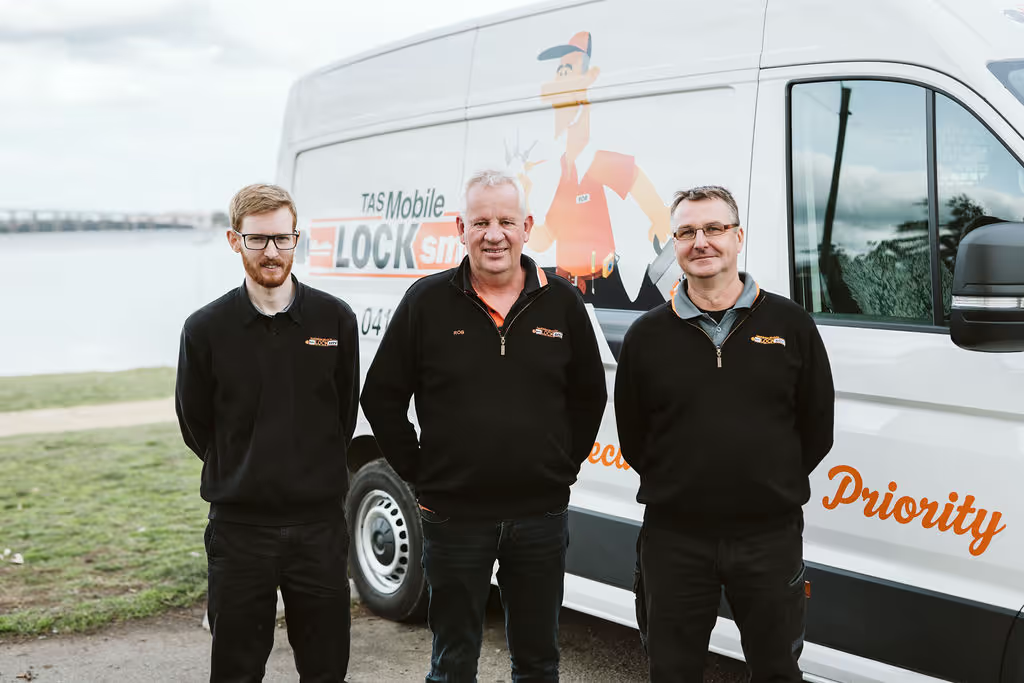
At Tasmanian Mobile Locksmith, we’ve been helping locals stay secure since 1989. We don’t just sell locks; we fit them, fine-tune them and stand by them. Our team combines old-school craftsmanship with modern digital expertise to deliver lasting security solutions for homes and businesses across Southern Tasmania.
Here’s why locals trust us with their digital and smart lock systems:
- 35+ years of experience: We’ve handled every type of system, from simple keypads to large-scale access control, and we know which models perform best in Tasmanian conditions.
- Accredited Master Locksmiths: Every job is carried out by licensed professionals who understand both mechanical and electronic locking systems.
- Fully mobile service: We come to you, install on-site and make sure everything works as it should before we leave.
- High-quality hardware and workmanship: We only recommend locks that last, fitted with care and precision to keep them reliable for years.
- Clear advice and honest pricing: We explain your options before we start, so there are no surprises, only solid work and good service.
If you’re ready to upgrade to a smart door lock, talk to the people who’ve spent a lifetime keeping Tasmanians safe. We’ll help you choose the right lock for your home, set it up properly and make sure you always have a dependable smart key or physical key backup. We also design and install digital keyless entry systems for commercial sites, giving businesses across Southern Tasmania the same reliable protection and control we’ve built our reputation on.

Rob Damen
Founder & Senior Technician